 Consensus-AI
Export and import
A project travels as one JSON file: its Context folder and documents, folders, plans, Subplans, threads and every revision, with no tokens. That is how a project moves between servers, and how it is backed up on its own.
Export
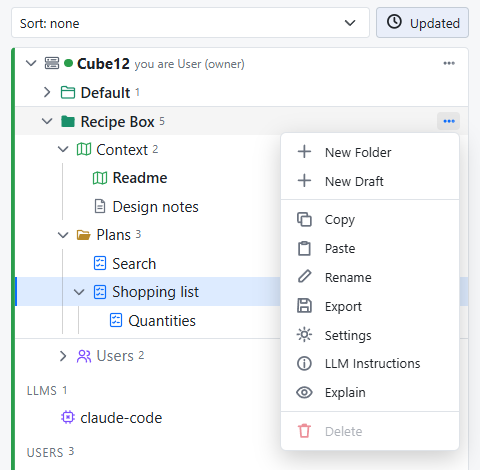
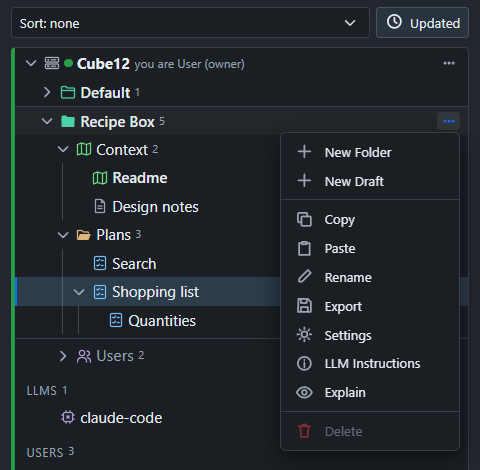
Export in a project's menu shows the file, to copy or download. The same comes from the API at GET /api/projects/<id>/export.
A folder, a plan or a document exports the same way, from its menu or GET /api/items/<id>/export: the same format, holding that item and what is under it, with no Readme. Such a file imports as a project of its own (it gets an empty Readme) or, as any file does, into a project.
An export says Version: 2, its plans under Plans; a file of another version is refused.
Import
Import in a server row's menu asks for an exported file, for that server. What happens depends on whether the project is already here:
- A project not here comes in as it is, every id intact.
- A project already here is imported as a copy ("Copy of
(imported )", every id new) or merged: revisions are matched by id, a conflict gets a merge revision with the newer text, and nothing here is removed. Import asks which.
The same goes through POST /api/projects/import with the export as the body.
Into a project
Paste in a project's or folder's menu imports the file on the clipboard into that project, at its root or in the folder, every id new. A project's file comes in as a folder named after the project, holding its folders and plans; its Readme and Context folder stay out. An item's file comes in as its item; a document goes only into the Context folder. The API does the same with Into: { Project, Parent? } in the import's body, and Preview: true says what would be made.
Report
Report in a plan's menu, the Report button in its heading, or Ctrl+P, opens the plan, its Subplans and all their threads flattened into one page: a title page with the plan's state, dates, participants and thread counts; the text, each anchored passage marked and numbered; then every thread in the order of its passage, with each reply's author and time, and the resolve and apply records with their revisions. Subplans follow as chapters. It is a record of both sides' work at the plan's final revision; deleted threads and the revision history stay out.
The page's Print button prints it: in a browser the print dialog's destinations include Save as PDF, and the print leaves the controls out, puts each plan on a new page and keeps the colours; in the desktop the button asks where to save and writes the PDF, and View in Browser opens the same report in your browser, for its own preview and print. The same report is served as markdown at the page's Markdown link (/api/plans/<id>/report.md), for an agent or for keeping with the source.
Older exports
An export from an older Consensus is read too: its corpora and workers are dropped, its context becomes the Readme, and the Context folder is made.